Web Dashboard
The @evalstudio/web package provides a web-based dashboard as an alternative to the CLI and API for managing EvalStudio.
Quick Start
The easiest way to use the web dashboard is via the CLI:
evalstudio serve --open
This starts the API server and serves the web dashboard at http://localhost:3000.
Development Mode
For local development with hot reload, run the API server and Vite dev server separately:
pnpm --filter @evalstudio/api start   # API on port 3000
pnpm --filter @evalstudio/web dev     # Web on port 5173 (proxies /api to 3000)
Open http://localhost:5173 in your browser.
Features
The dashboard provides a complete UI for managing all EvalStudio entities:
-
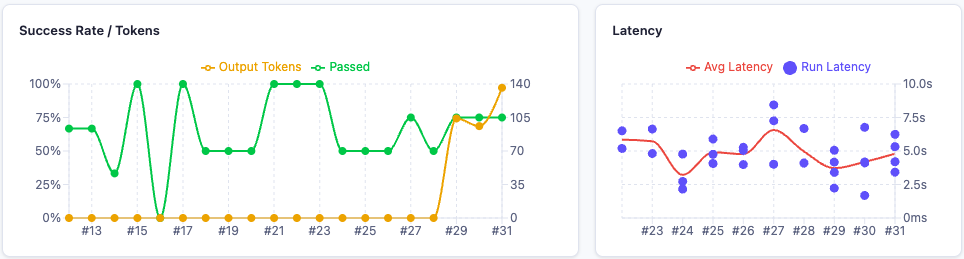
Dashboard — Overview with recent eval cards, run list, and aggregated performance charts
-
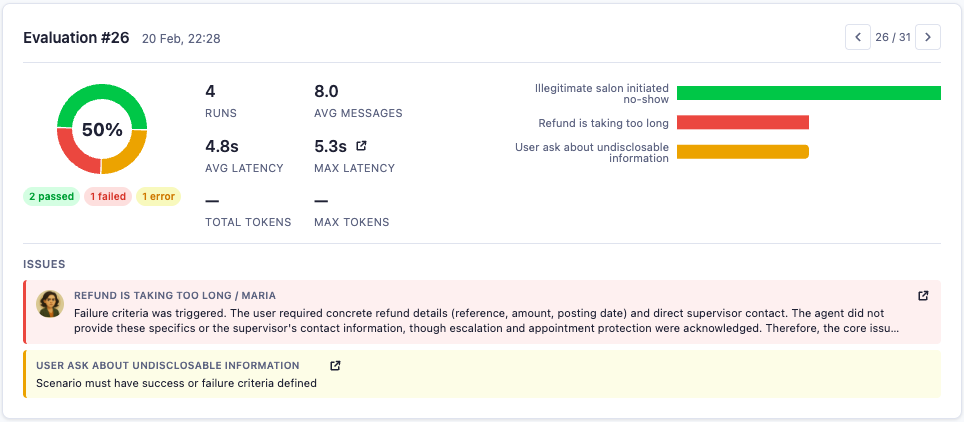
Evals — Create, configure, and run evaluations; view execution summaries and stats
-
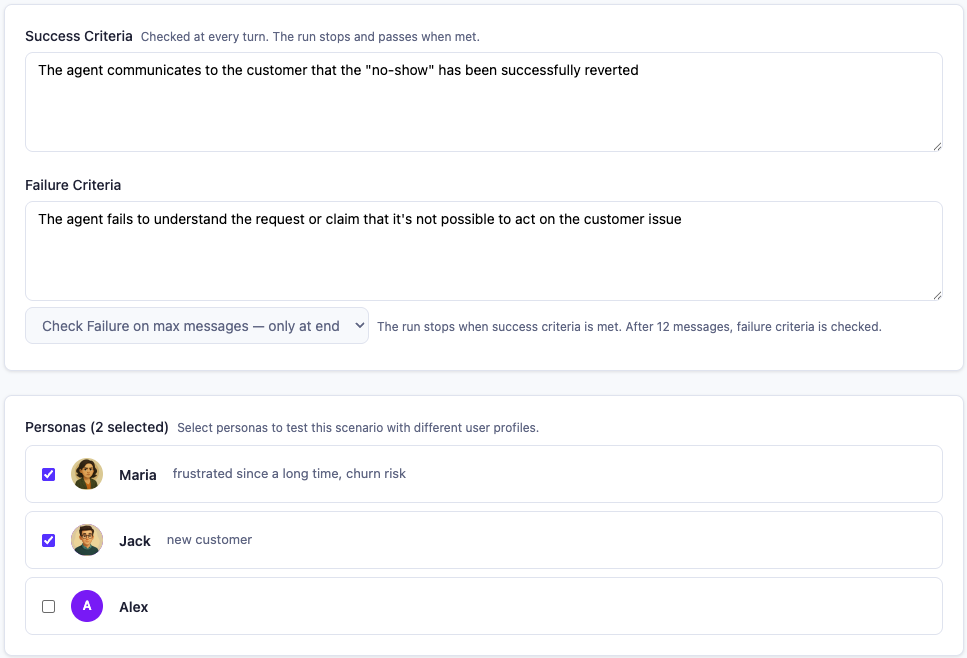
Scenarios — Manage test scenarios with seed messages, criteria, and evaluators; JSONL import/export
-
Personas — Create personas with descriptions, custom headers, and AI-generated portraits
-
Agents — Configure agents (connectors), including LangGraph, and interact with them via live chat sessions
-
Performance Charts — Pass/fail rates, latency scatter plots, and token usage trends per eval, scenario, and persona
-
Settings — Configure LLM providers and project settings
Building for Production
Build the static files:
pnpm --filter @evalstudio/web build
The output is in packages/web/dist/. You can serve these files with any static file server.
Preview the production build:
pnpm --filter @evalstudio/web preview
Configuration
API Proxy
In development, the Vite dev server proxies /api requests to the API server. This is configured in vite.config.ts:
server: {
  proxy: {
    "/api": {
      target: "http://localhost:3000",
      changeOrigin: true,
    },
  },
},
In production, the web dashboard is bundled as static assets into the CLI and served by the API server directly — no separate proxy needed.
Tech Stack
- Vite - Fast development server and build tool
- React 18 - UI library
- TanStack Query - Data fetching and caching
- TypeScript - Type safety